Tournament Venue Manager
The Venue manager allows tournament organizer to create physical representation of areas where matches happen. This usually applies to big tournaments that are capable of having 2 or more matches from happening simultaneously. For instance, a typical Wrestling or Jiu-Jitsu tournament will have a least 2 mat areas, in some cases 4. The organizer assigns the matches from the tournament bracket into their respective venues and sequence them. Each match in the venue is assigned with a match order number. The Venue manager is mainly used to set match schedules and the location of where the matches are going to happen. It helps organizer prevents participants from playing on multiple matches simultaneously.
The figure below shows the important control elements of the Venue Manager.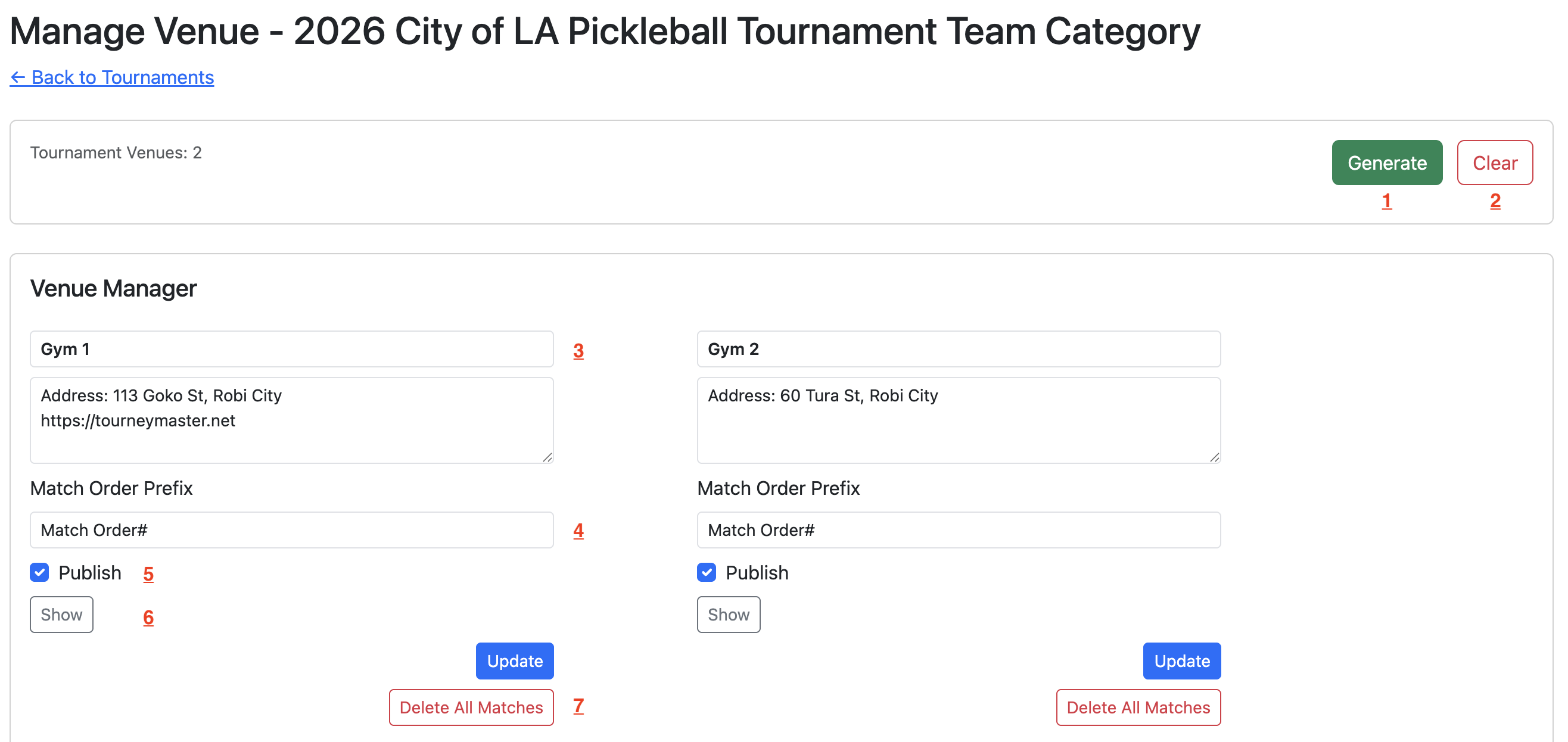
- Generate the tournament venue scaffolding. You will be asked to enter the number of venues.
- Delete all the venues in the tournament.
- Set the name of the venue. Below it you can add details such as address, contact number, instructions on how to reach the venue, etc.
- The label of the match order number. Matches in the venue are ordered sequentially starting from 1. This is used to identify a particular match in the tournament. For example: Mat 1 Match Number 10.
- Publish the bracket venue. Once published, the venue will be visible to the participants and the public if enabled.
- View the venues as participants see them, even before publishing.
- Delete all the assigned matches on the venue. It does not delete the matches from the tournament bracket.
The figure below shows the structure and layout of the matches in the venue.
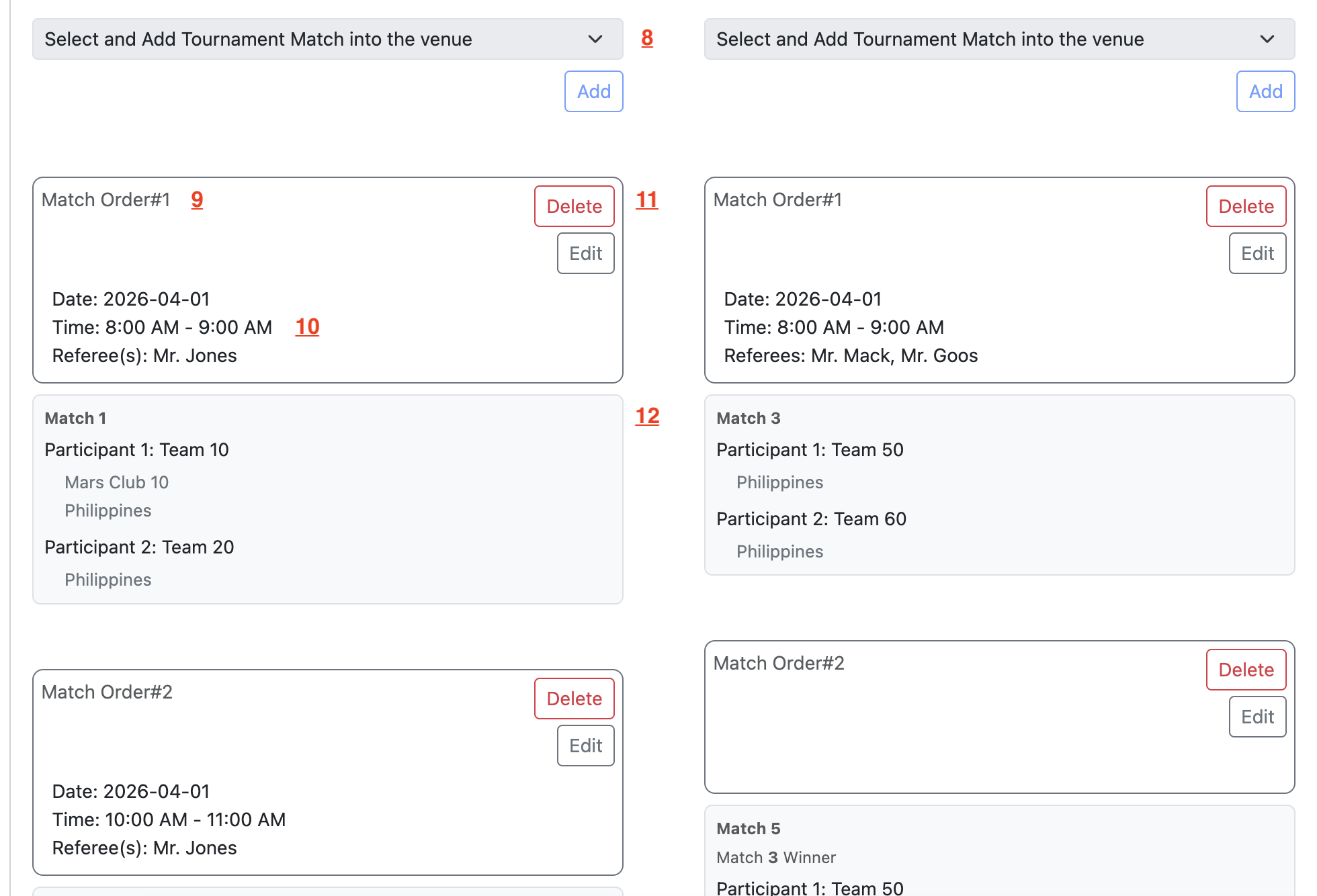
- Select and assign a match into the venue.
- Read-only view of the match order number with the label.
- Set the match details. This can also be set from the bracket manager.
- Delete the match assignment. This does not delete the match from the bracket.
- Read-only view of the match participants.