Tournament Bracket Manager
The Bracket manager is one of the cool features of TourneyMeister. It enables the organizer to seamlessly create brackets and matches as well as provide updates as the tournament progresses. The bracket manager uses the tournament format to determine the layout and structure of the bracket. It includes the grouping of matches into rounds. For example, a single elimination tournament format with 16 participants will have 4 rounds. The rounds are shown on the bracket as arrays of columns of matches. Organizer can choose from Single Elimination, Round Robin and Custom formats. The custom format allows the organizer to specify how many rounds will be in the bracket, how the participants are paired and how participants advance to the next round.
The figure below shows the important control elements of the Bracket Manager. A read-only view of the bracket is generated and will be visible to the participants once the bracket is published. Any changes made from the Bracket Manager will reflect instantly to the bracket view.
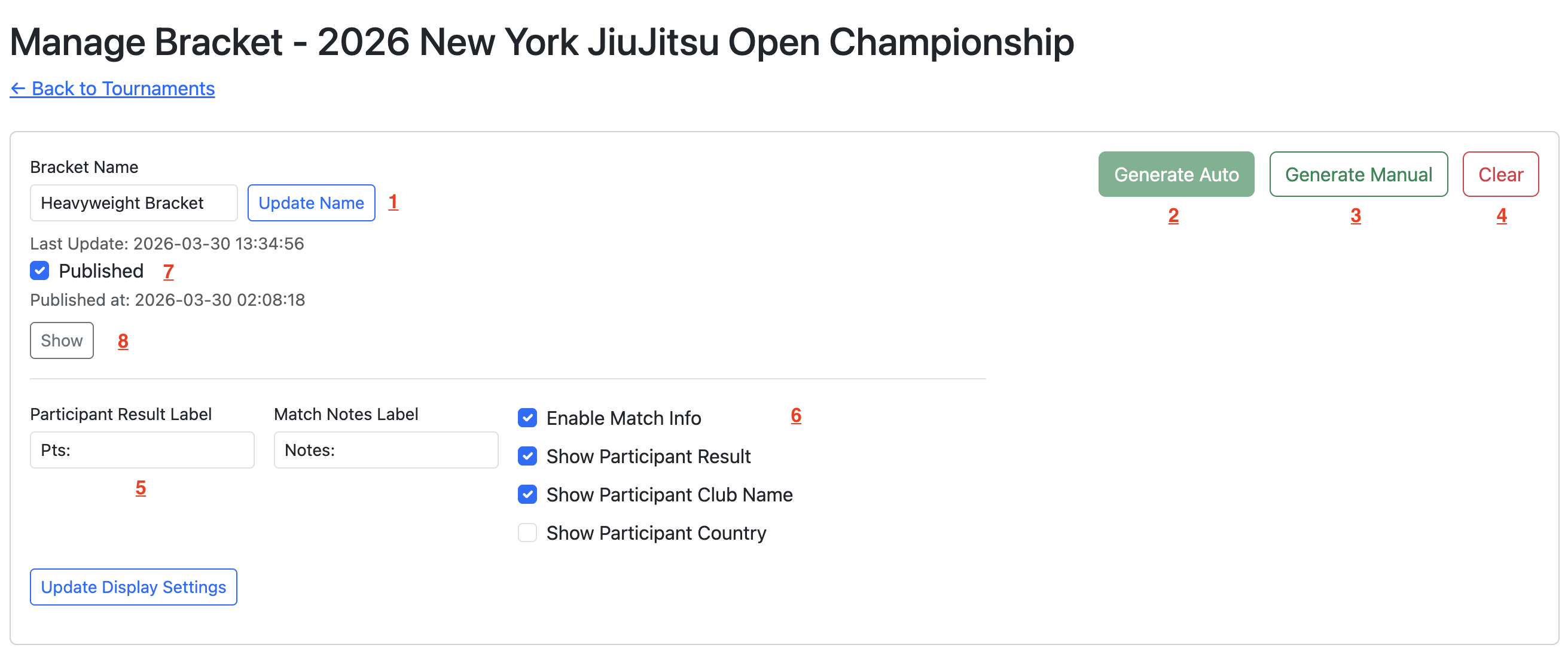
- Name of the bracket.
- Automatically generates the rounds, including assignment of matches into rounds and pairing of participants on each match.
- The organizer will manually assign the participants on each match.
- Delete all the matches and rounds.
- Label for the result (e.g. Score, Points).
- Toggles the visibility of the match information, participant information (e.g. Club name, Country) and results.
- Publish the Tournament Bracket. Once published, the bracket will be visible to the participants and the public if enabled.
- View the bracket as participants see it, even before publishing.
The figure below shows the layout and structure of the rounds in the bracket and the elements of each match. The organizer manually updates the matches as the tournament progresses. The results will instantly reflect on the tournament bracket view.
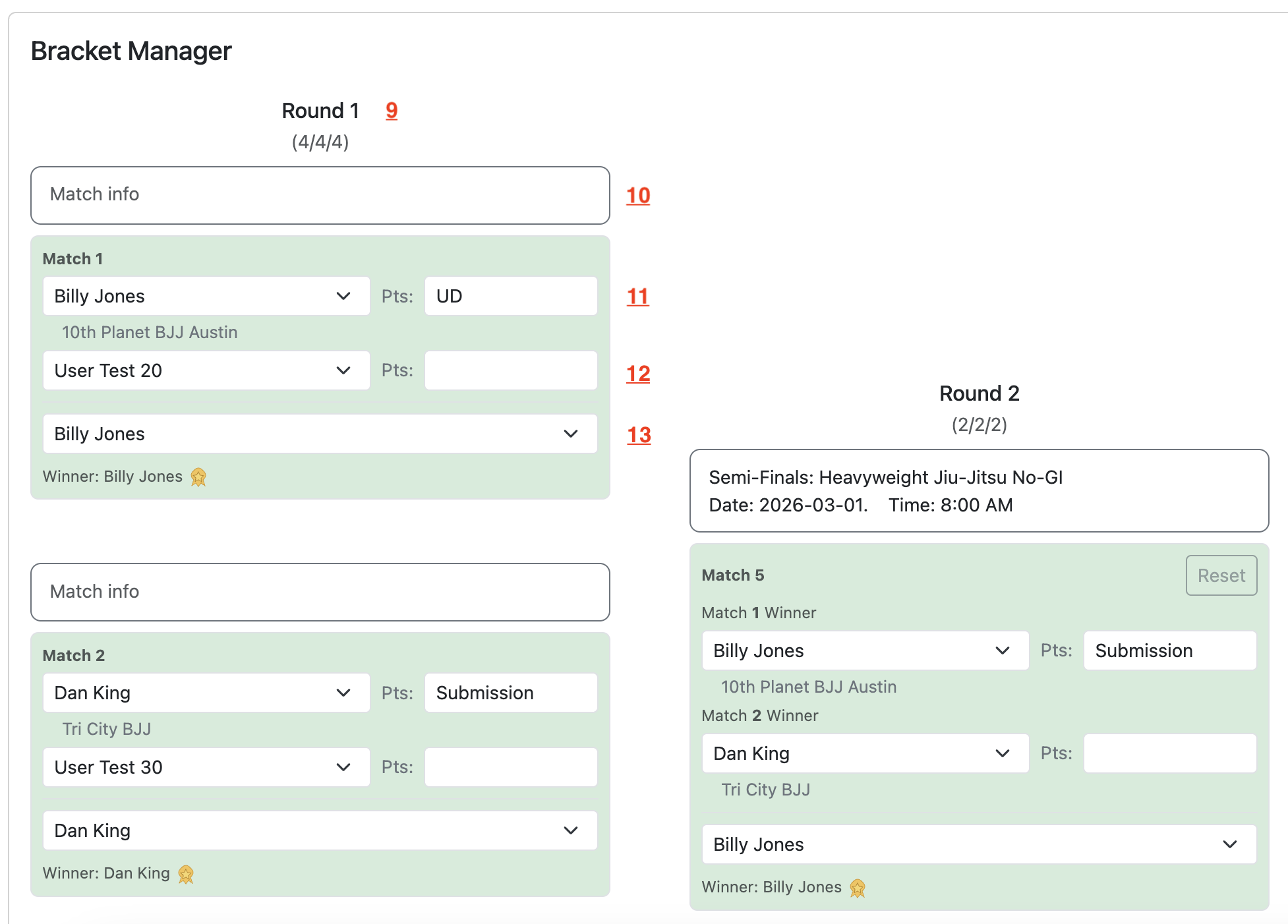
- Round number. The 3 digits below shows the number of matches done/finished, number of matches with assigned participant and the total number of matches in the round
- Match useful information (e.e. Venue, Date, Time, Referees). This field is used mainly in the Tournament Venue Manager.
- Participant 1 person or team name, and result in the tournament (e.g. Score, Points)
- Participant 2 person or team name, and result in the tournament (e.g. Score, Points)
- Person or team name of the match winner.